
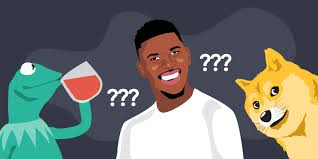
Memes have become the heart of online culture — from casual jokes on social media to viral marketing campaigns. They’re short, humorous, and incredibly shareable. Thanks to modern tools, anyone can make memes in minutes using a meme creator or meme generator.
However, not every meme hits the mark. You might have the right image, a great idea, or even a trending topic — but a few small mistakes can stop your meme from getting the attention it deserves.
If you’re new to using a meme creator, or even if you’ve been making memes for a while, understanding what not to do can make a massive difference in your results. In this guide, we’ll explore the most common mistakes people make when using a meme creator, and how to avoid them to create content that’s funny, engaging, and shareable.
1. Ignoring the Meme’s Core Message
Every great meme has one thing in common: it delivers a clear message instantly. Many beginners make the mistake of focusing too much on visuals or text formatting and forget the point of the joke.
When using a meme creator, remember that simplicity is key. A good meme communicates its idea within seconds — without requiring explanation.
Tip:
Before you finalize your meme, ask yourself:
- Is the message obvious at first glance?
- Would someone who doesn’t know me still get the joke?
If the answer is no, simplify your text or choose a more relatable image.
2. Choosing the Wrong Meme Template
Meme templates play a huge role in how your audience reacts. The right image amplifies humor, while the wrong one can confuse or dilute your joke.
A common mistake when using a meme creator is choosing a template that doesn’t match the tone of the text. For example, using a sad meme image for a funny or sarcastic caption just feels off.
How to Fix It:
- Use trending templates like “Drake Hotline Bling,” “Distracted Boyfriend,” or “Woman Yelling at a Cat” for familiar humor.
- Explore your meme creator’s template library to find one that fits your caption’s emotion.
- If your idea is original, upload your own image instead of forcing it into a mismatched template.
Your meme’s power lies in how perfectly the text and image complement each other.
3. Overcomplicating the Text
A classic beginner mistake is adding too much text. Memes are not blog posts — they rely on brevity and punchy delivery. Long captions can overwhelm the viewer or ruin the timing of the joke.
When you use a meme creator, remember: less is more. The ideal meme uses 10–15 words maximum for both the top and bottom text combined.
Example:
❌ “When you realize you’ve been watching Netflix for 6 hours straight and you still say ‘just one more episode.’”
✅ “6 hours later: ‘One more episode.’”
Short, punchy captions hit harder and are easier to share.
4. Ignoring Font and Readability
You may have seen memes where the text blends into the background or is too small to read. That’s an instant dealbreaker for viewers.
Many new users of meme creators forget to check text visibility. The humor won’t matter if people can’t read the words.
Fix This By:
- Using bold, easy-to-read fonts like Impact or Arial Black.
- Keeping text color white with a black outline for contrast.
- Avoiding fancy or cursive fonts — they reduce clarity.
- Ensuring text size looks good on both mobile and desktop screens.
The best meme creators let you preview your meme before saving — use that feature to double-check readability.
5. Using Low-Quality Images
A blurry or pixelated meme immediately feels unprofessional or outdated. Even if your caption is funny, poor image quality makes people scroll past it.
This happens often when users upload images that have been repeatedly screenshotted or compressed.
How to Fix It:
- Always use high-resolution images when uploading to your meme creator.
- If possible, choose templates directly from the tool’s library — they’re optimized for quality.
- Avoid adding too many filters or effects; keep it crisp and clean.
Remember: clarity equals credibility, even in humor.
6. Ignoring Meme Dimensions
Each social media platform displays images differently. A meme that looks perfect on Instagram might appear cropped on Twitter or Facebook.
Many users skip this step and end up with text cut off or distorted images.
Solution:
When using a meme creator, always choose the correct canvas size for your platform:
- Instagram: 1080 x 1080 pixels (square)
- Twitter/X: 1200 x 675 pixels (landscape)
- Facebook: 1200 x 1200 pixels
- Pinterest: 1000 x 1500 pixels (portrait)
Most advanced meme creators like Canva, Kapwing, or Imgflip allow you to resize automatically — take advantage of that.
7. Being Outdated with Trends
Timing is everything in meme culture. What’s funny today might be forgotten next week. A big mistake people make is creating memes about old or overused topics.
If you’re using a meme creator to grow your social media presence, you must stay updated with current trends, pop culture references, and viral moments.
How to Stay Relevant:
- Follow meme pages, Reddit threads (like r/memes or r/dankmemes), and Twitter trends.
- Use Google Trends to track viral topics.
- Subscribe to meme newsletters or communities.
When you react quickly to trends, your memes have a higher chance of going viral.
8. Forgetting the Audience
A meme is only as effective as its audience’s reaction. Many creators make the mistake of creating memes that they personally enjoy — but their target audience might not relate to.
For example, a meme about workplace meetings may not resonate with students, while a meme about gaming slang might not appeal to professionals.
Fix:
Before using your meme creator, identify your audience:
- Who are you making the meme for?
- What topics or humor styles do they enjoy?
- What social media platforms do they use most?
Customizing your meme content for the right audience increases shares and engagement dramatically.
9. Overusing Effects or Stickers
While modern meme creators offer fun customization options like emojis, filters, or stickers, overdoing it can make your meme look cluttered or childish.
The most viral memes are usually simple — image + text, nothing more.
Guideline:
- Limit filters to enhance contrast or brightness, not change the tone entirely.
- Use stickers sparingly — one or two max.
- Don’t let decorations distract from your punchline.
Clean design keeps your audience focused on the humor, not the extras.
10. Neglecting Copyright and Fair Use
One of the biggest but most overlooked mistakes is ignoring image rights. Not every picture on Google is free to use. Using copyrighted images without permission can lead to takedowns or penalties.
How to Stay Safe:
- Use templates from your meme creator’s built-in library — they’re usually copyright-free.
- Or use stock image platforms like Pexels, Pixabay, or Unsplash for free-to-use visuals.
- Avoid using logos or faces of celebrities unless it’s clearly fair use or parody.
It’s always better to be cautious — viral fame isn’t worth legal trouble.
11. Forgetting to Optimize for SEO or Captions
If you’re posting memes on websites, blogs, or YouTube thumbnails, SEO still matters. Many creators ignore optimization, making it harder for their memes to be found online.
Optimization Checklist:
- Rename your meme image file using keywords (e.g., “funny-office-meme.jpg”).
- Add alt text with descriptive phrases (e.g., “funny work-from-home meme using meme creator”).
- Use hashtags strategically (#memes, #memecreator, #relatablememes).
These small steps improve visibility on Google Images and social platforms.
12. Not Testing Before Posting
A meme might look perfect on your screen but appear misaligned or cropped when uploaded. Forgetting to preview is a rookie error.
Always test your meme on different devices (mobile, tablet, desktop) before posting. Most meme creator tools have a preview or download option — use it to ensure your meme looks great everywhere.
13. Posting Without Consistency
Creating one great meme isn’t enough to build engagement. Consistency keeps your audience interested and builds recognition.
A mistake many creators make is posting one viral meme, then disappearing for weeks. Algorithms favor active accounts that post regularly.
Plan Your Meme Strategy:
- Use a meme creator to batch-make 5–10 memes at once.
- Post 2–3 times a week for steady growth.
- Track engagement to see which formats perform best.
The more consistently you post, the higher your chance of going viral.
Conclusion: Learn, Laugh, and Improve
Using a meme creator is fun and rewarding, but avoiding these common mistakes can make a world of difference in how people respond to your content.
Focus on:
- Clear, relatable messaging.
- High-quality images and readability.
- Trend awareness and audience understanding.
- Consistent, engaging posting.
Memes are more than jokes — they’re a creative language of the internet. With the right meme creator and a bit of attention to detail, you can craft memes that not only make people laugh but also spread across platforms like wildfire.
So open your favorite meme creator, experiment, learn from your mistakes, and start creating memes that truly stand out in 2025 and beyond!
